Graphics
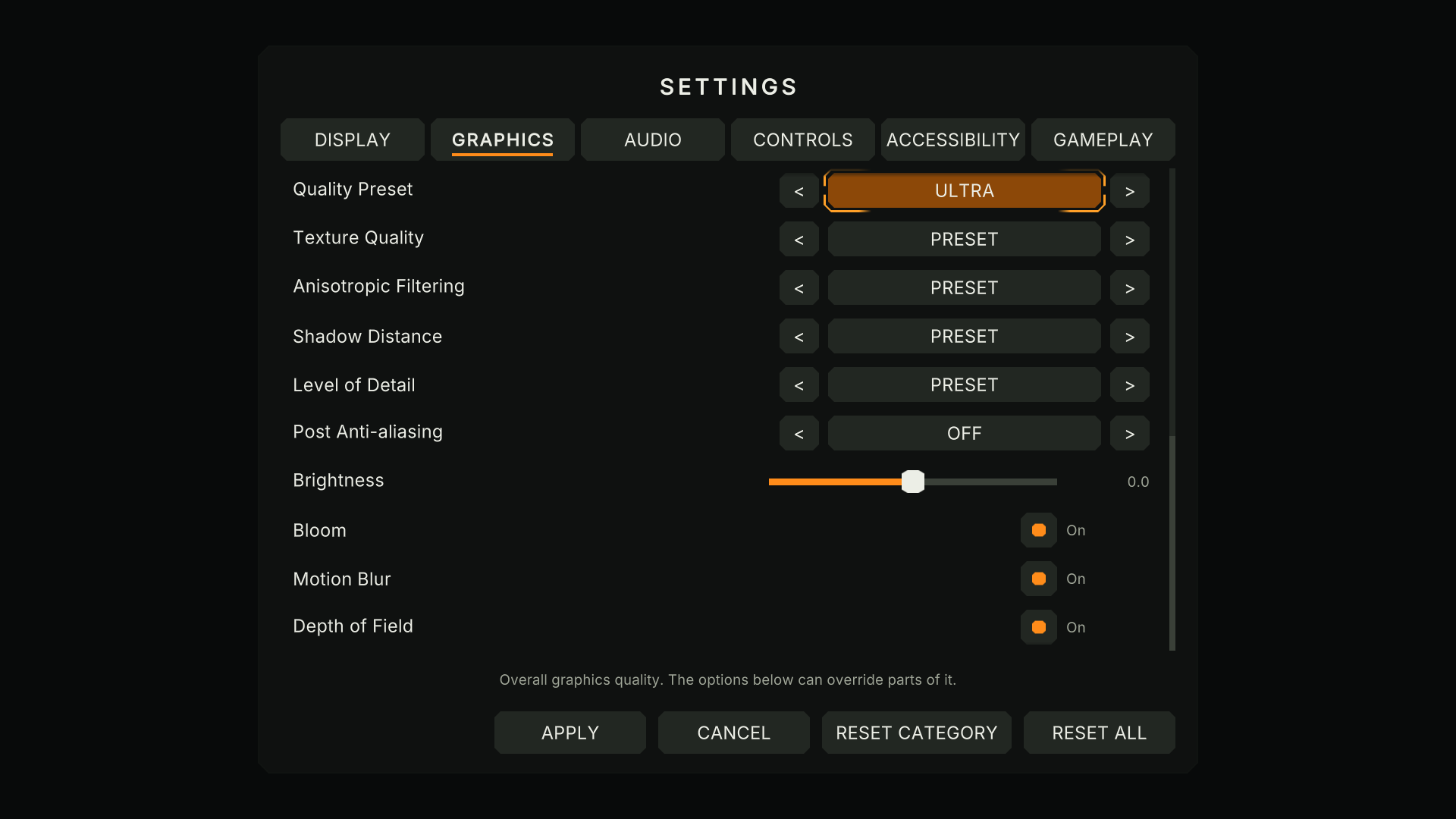
Graphics settings follow the render pipeline your project uses. Settings a pipeline can't use are hidden there automatically.
| Setting | Built-in | URP | HDRP |
|---|---|---|---|
| Quality preset | Yes | Yes | Yes |
| Texture quality, anisotropic filtering, shadow distance, level of detail | Yes | Yes | Yes |
| VSync, frame rate limit | Yes | Yes | Yes |
| MSAA, shadow quality, shadow resolution | Yes | URP's own versions | No |
| Render scale, upscaling filter, HDR | No | Yes | No |
| Post anti-aliasing (FXAA, SMAA, TAA) | No | Yes | No |
| Bloom, motion blur, depth of field, film grain, vignette, chromatic aberration (on/off), brightness | With Post Processing v2 | Yes | No |
HDRP projects get the menus and every engine-wide setting; HDRP-specific graphics settings are not included in 1.0.
Preset or override #
Each detail (texture quality, shadows ...) is Preset by default: it follows the chosen quality preset. Picking a value overrides the preset for that detail, and the override stays when the player changes the preset.
Your project's assets are never changed #
- URP: the kit applies render scale, MSAA, HDR, upscaling and shadow resolution to a runtime copy of your active URP asset; your asset file is untouched (a test checks the files are byte-identical before and after).
- Post effects and brightness: a kit-owned global Volume (priority 1000) with a runtime profile. "On" leaves your own volumes in charge; only "Off" adds an override.
- In the Editor, every quality level and frame rate the kit changed is put back when you leave Play mode.