
All In One Prefab Builder Kit
Your asset packs are full of great pieces. The Prefab Builder turns any of them into a kit you can build with: fast, snapped, and without ever changing the pack's own files. Everything happens in one window.
- Unity 6000.0 LTS+
- Built-in, URP & HDRP
- No dependencies
- Full C# source
How it works
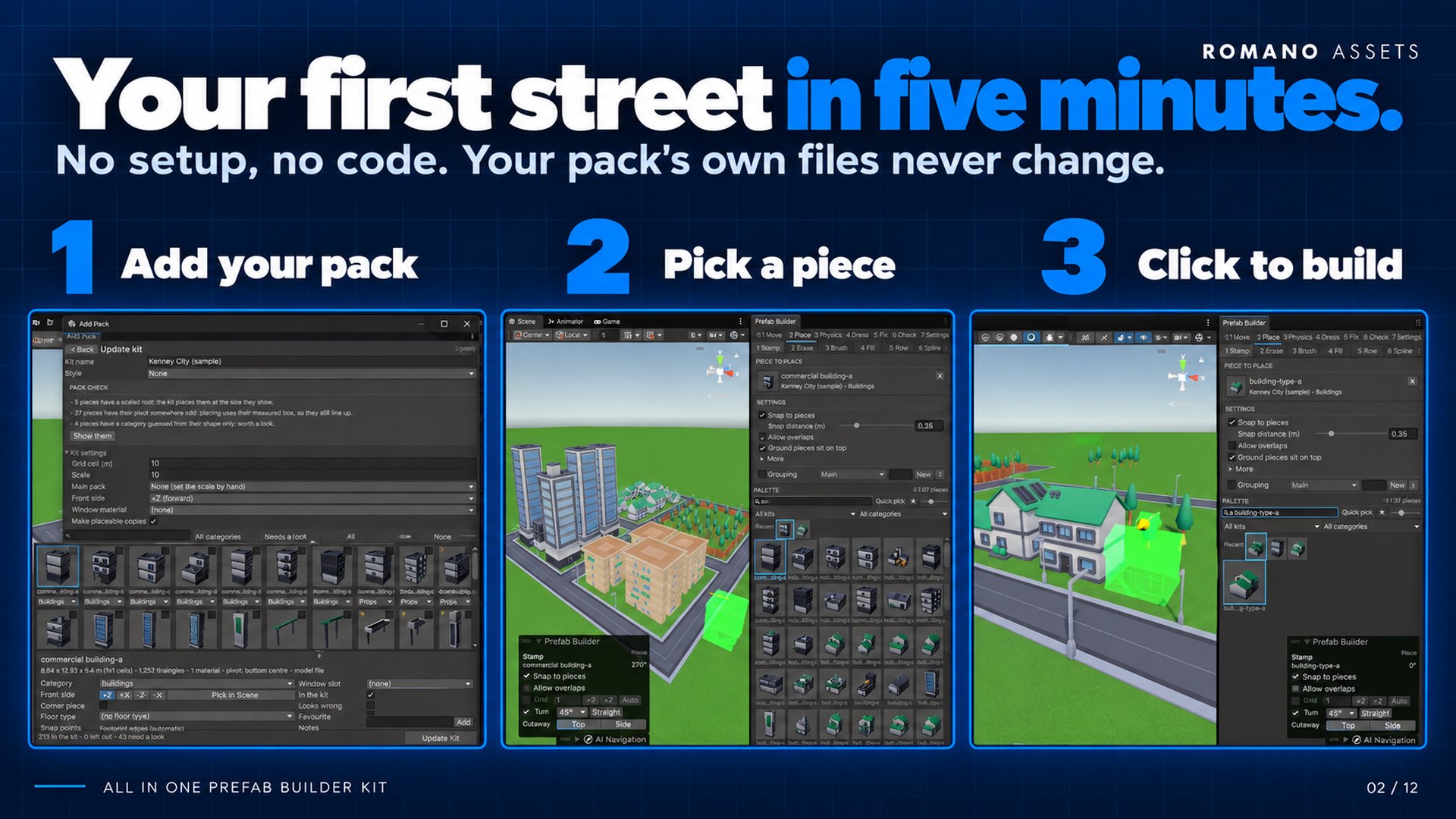
From a folder of prefabs to a city in three steps
-
Add a pack
A folder in your project, a
.unitypackage, or a folder or.zipon disk. Prefabs and raw models both work. -
Check one review screen
Every piece is measured and sorted for you: category, front, size, grid and floor type. Change what you like; your edits survive a re-scan.
-
Build
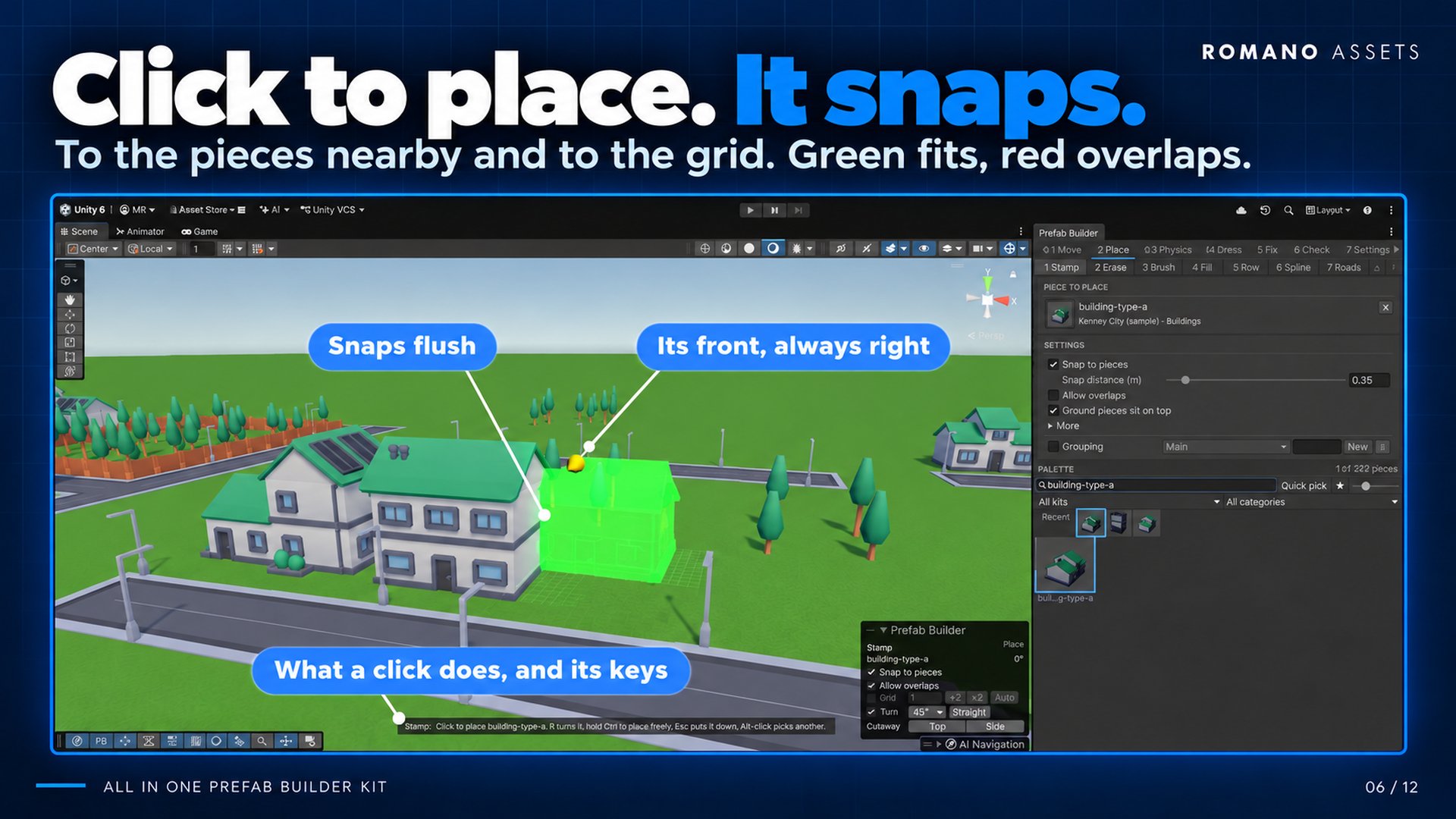
Pick a piece in the palette and click in the Scene view. R turns, T tilts, green fits, red overlaps.
Features
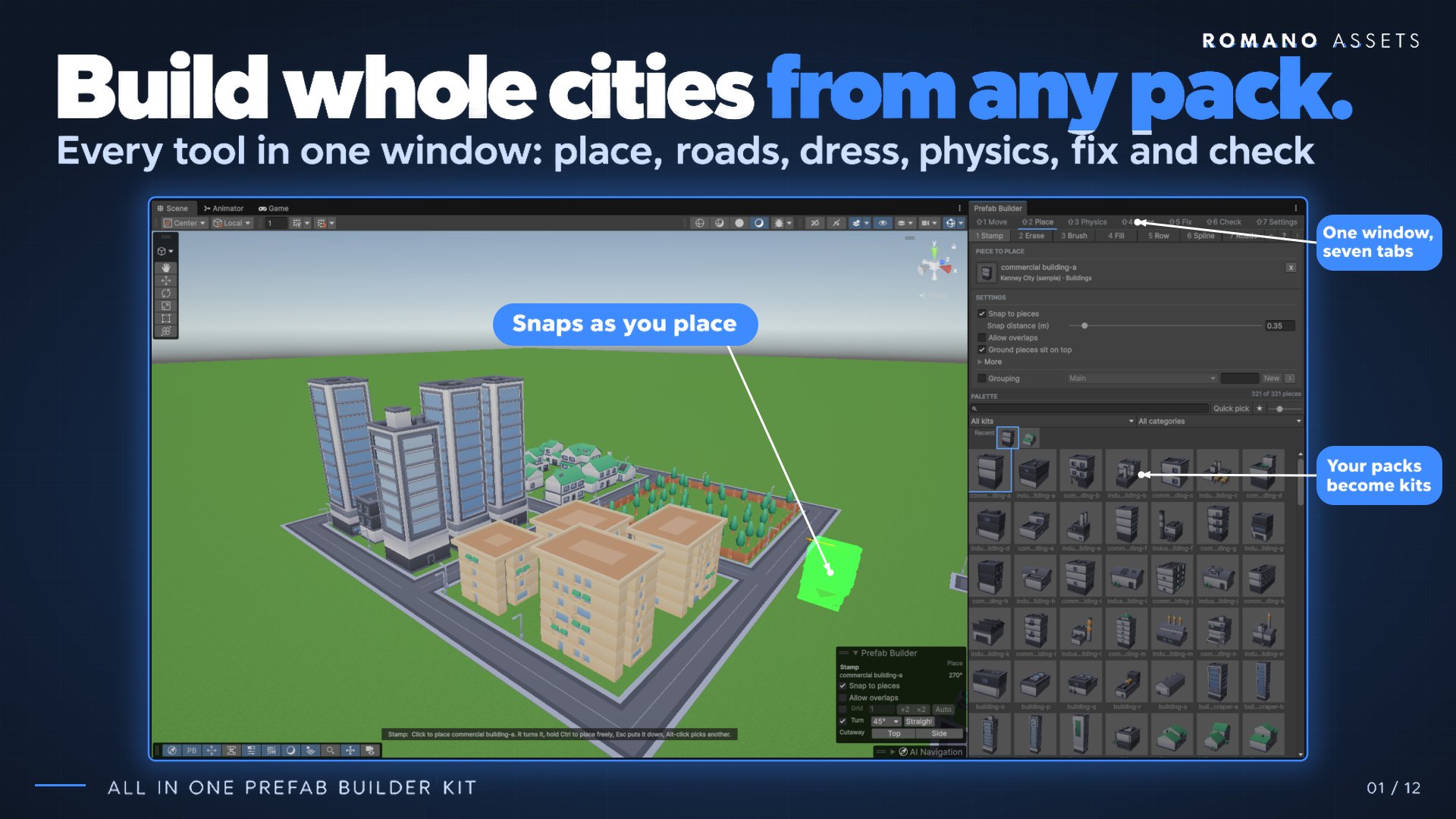
Seven tabs, one window
Each tab has a few modes and shows one at a time, so the window stays small. 1–9 pick tools, Shift+1–7 pick tabs, and every shortcut can be rebound.
Place
Stamp · Roads · Brush · Fill · Row · Spline- Stamp: pieces snap flush to their neighbours, line up and take their turn, or snap to the grid.
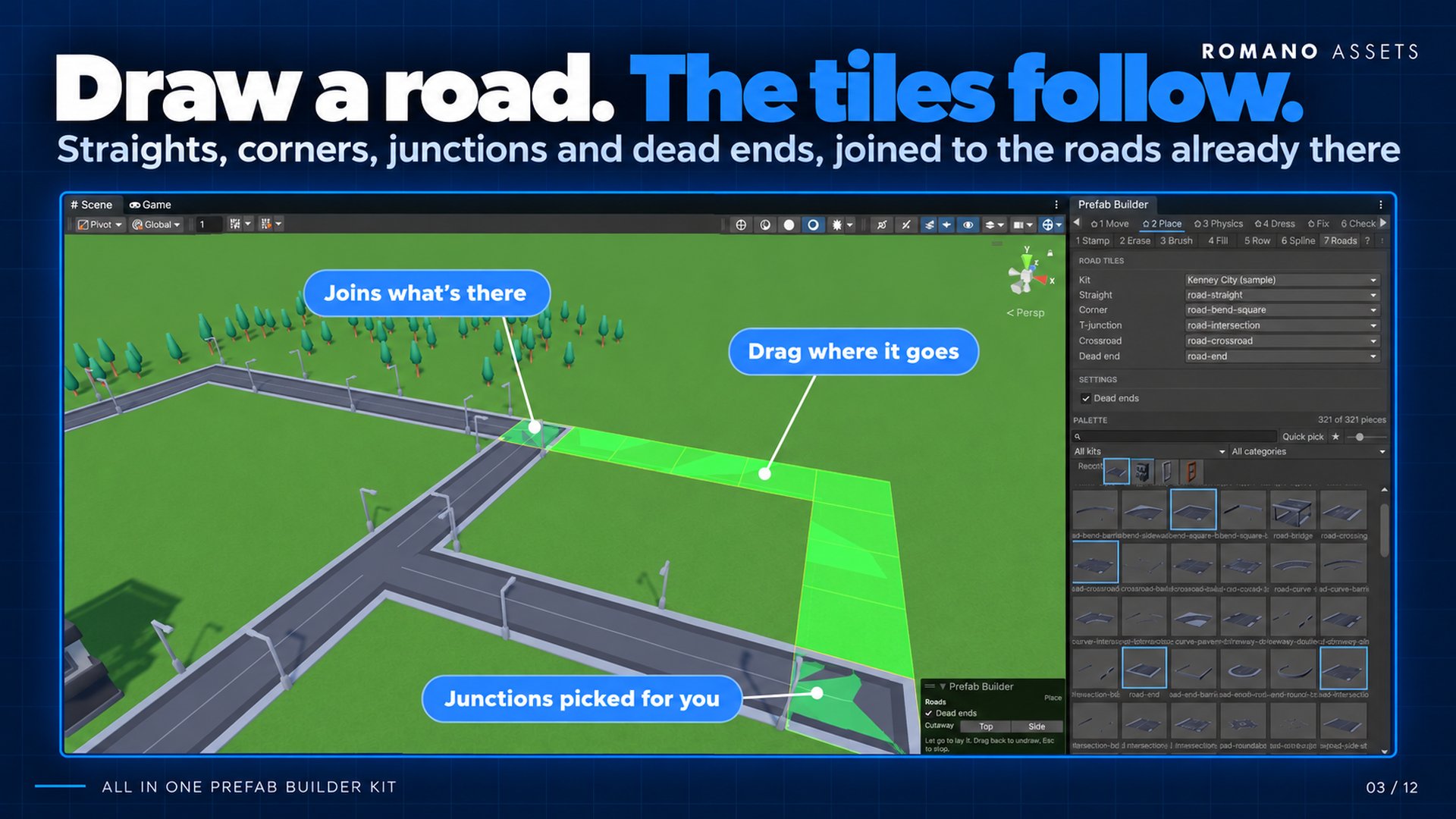
- Roads: drag a road and the right tiles go down: straights, corners, T-junctions, crossroads, dead ends.
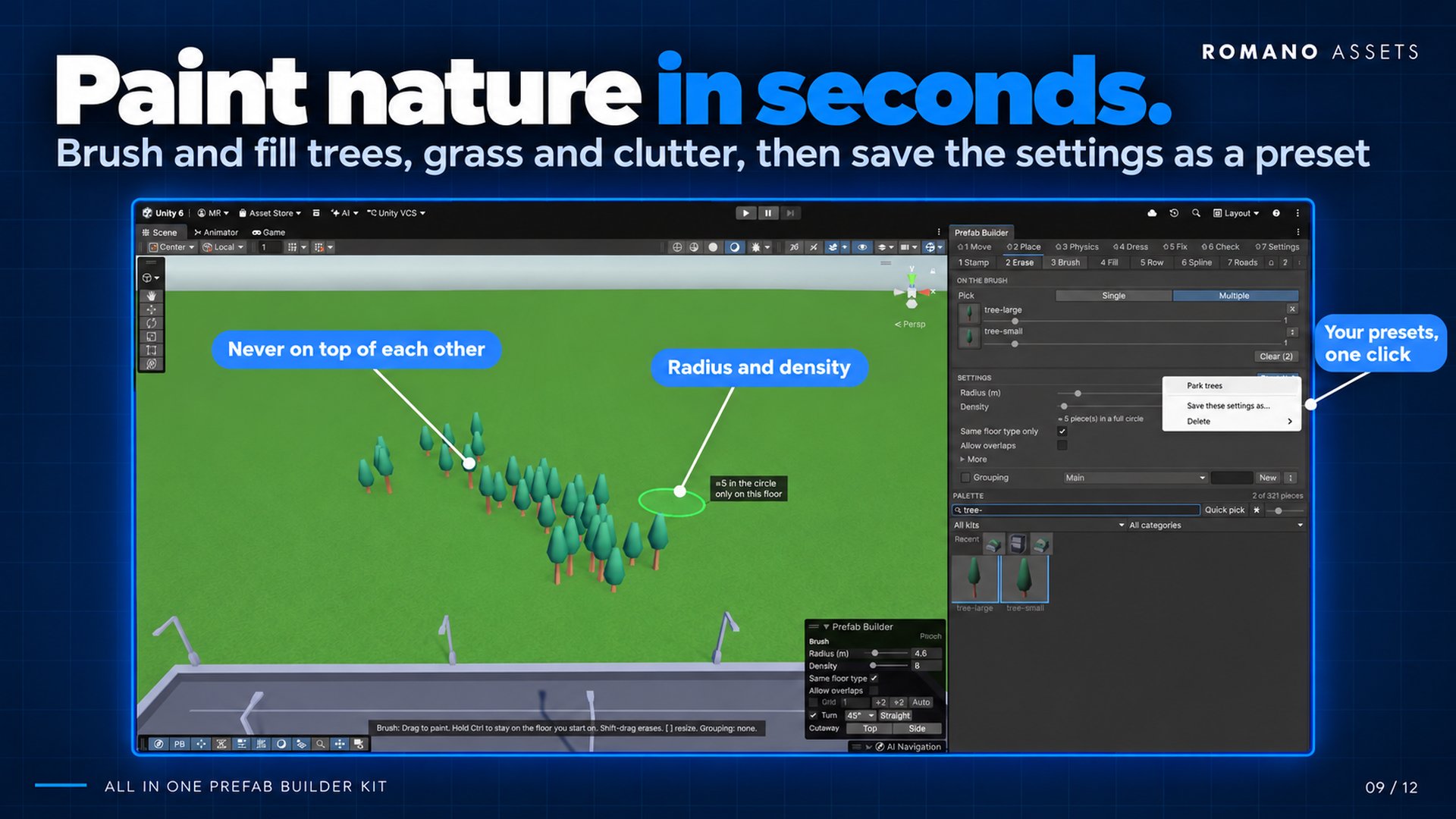
- Brush: paint trees, rocks and clutter by radius and density, never on top of each other.
- Fill, Row and Spline: fill an area or lay lines and curves of anything, with start and end caps.
- Works on terrain, on roofs and tables, and inside Prefab Mode. N re-rolls the last fill with a new mix.
Dress
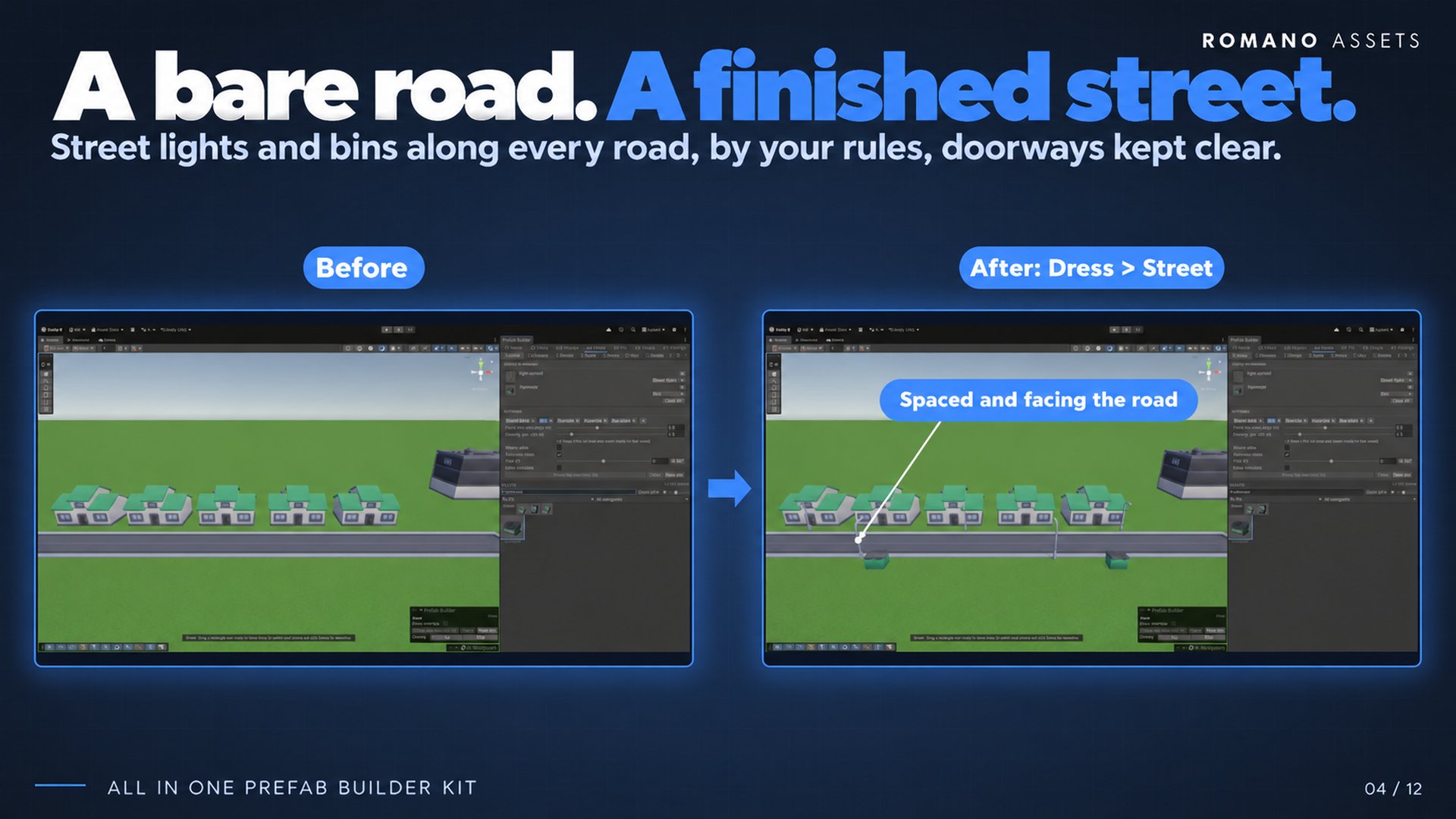
- Street furniture along every road, by your rules
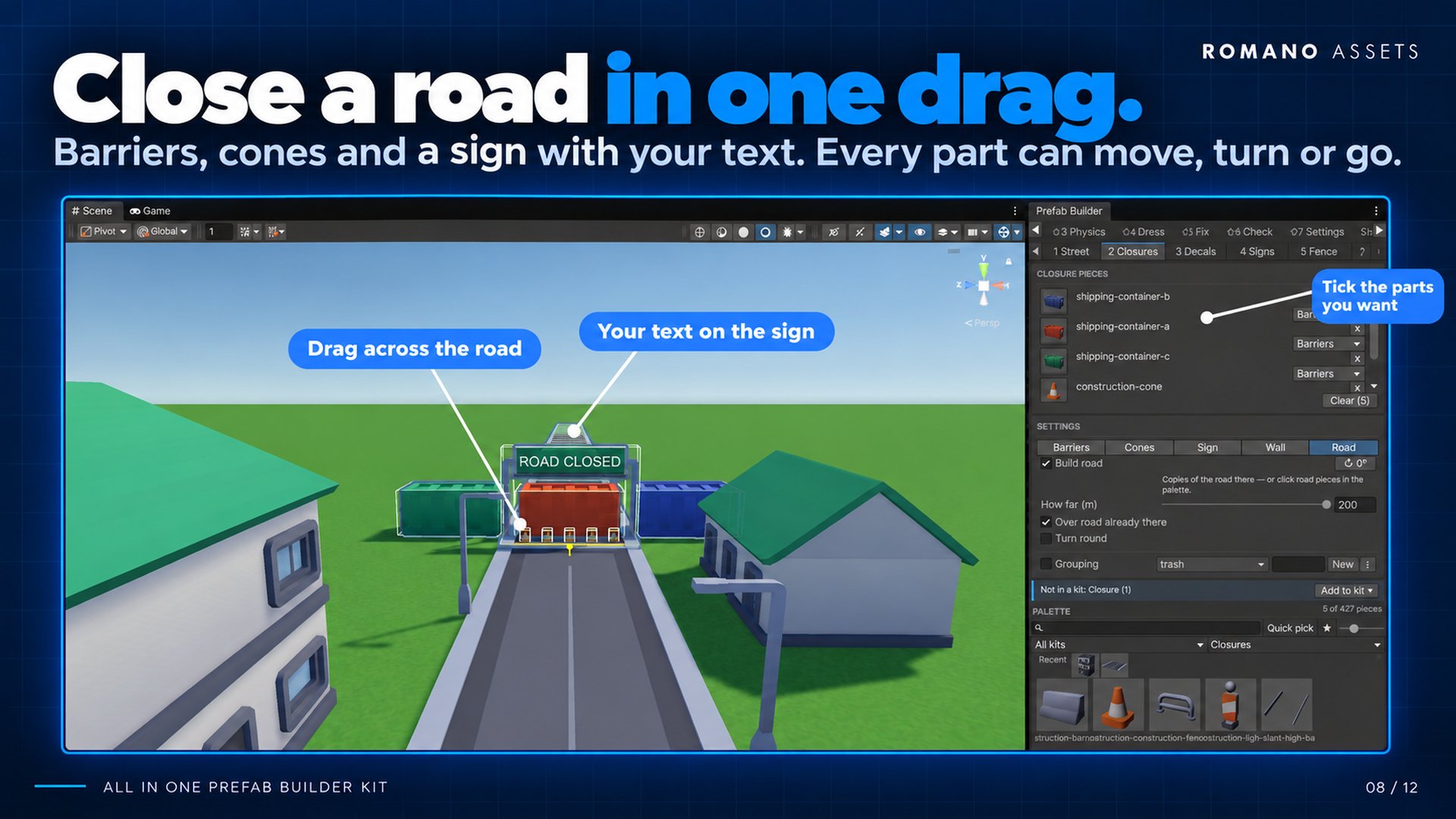
- Road closures in one drag
- Signs with your own text, decals, sagging cables
- Fences with corners and a gate placed for you
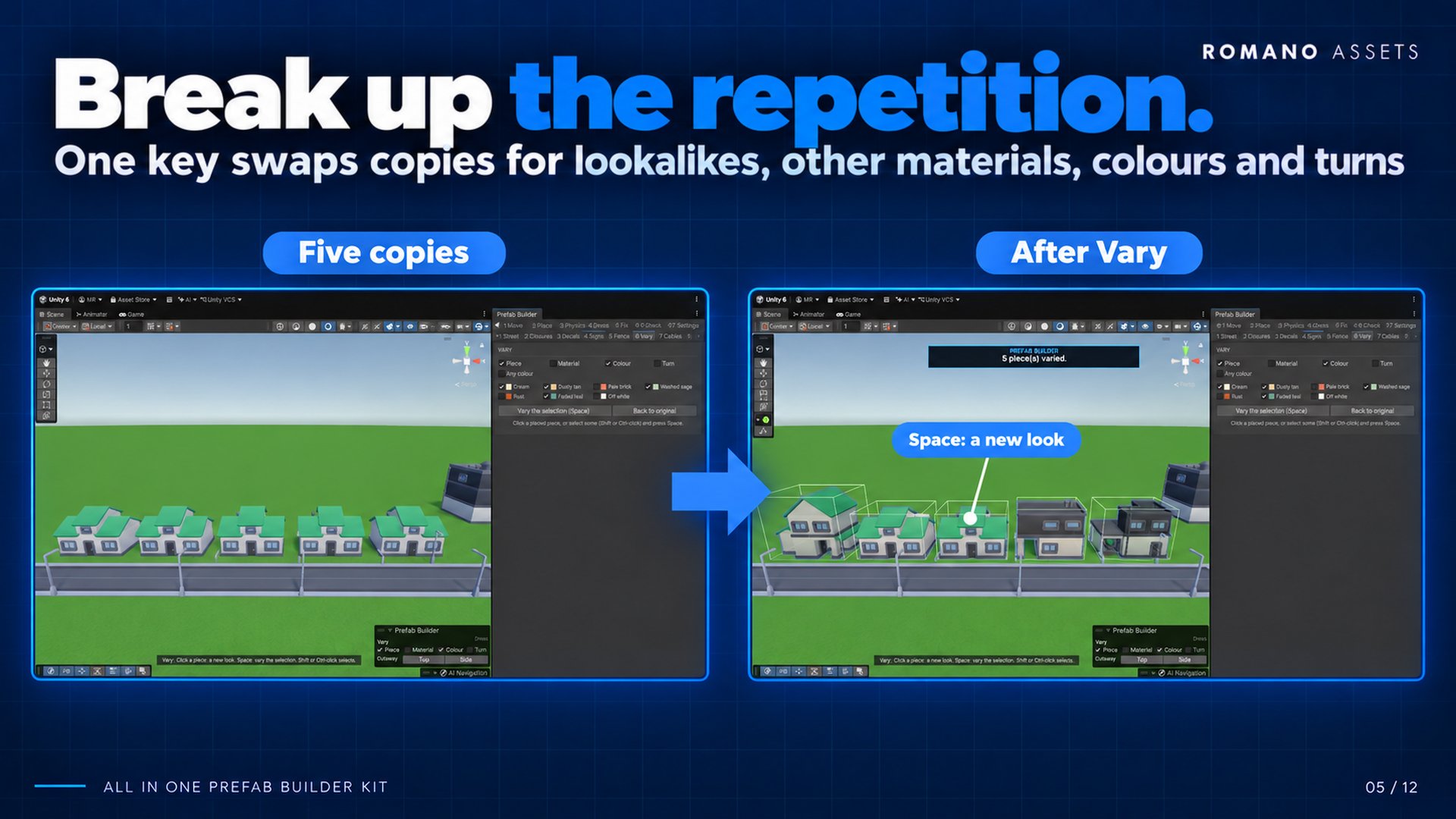
- Vary: swap lookalikes and colours so nothing looks copy-pasted
Physics
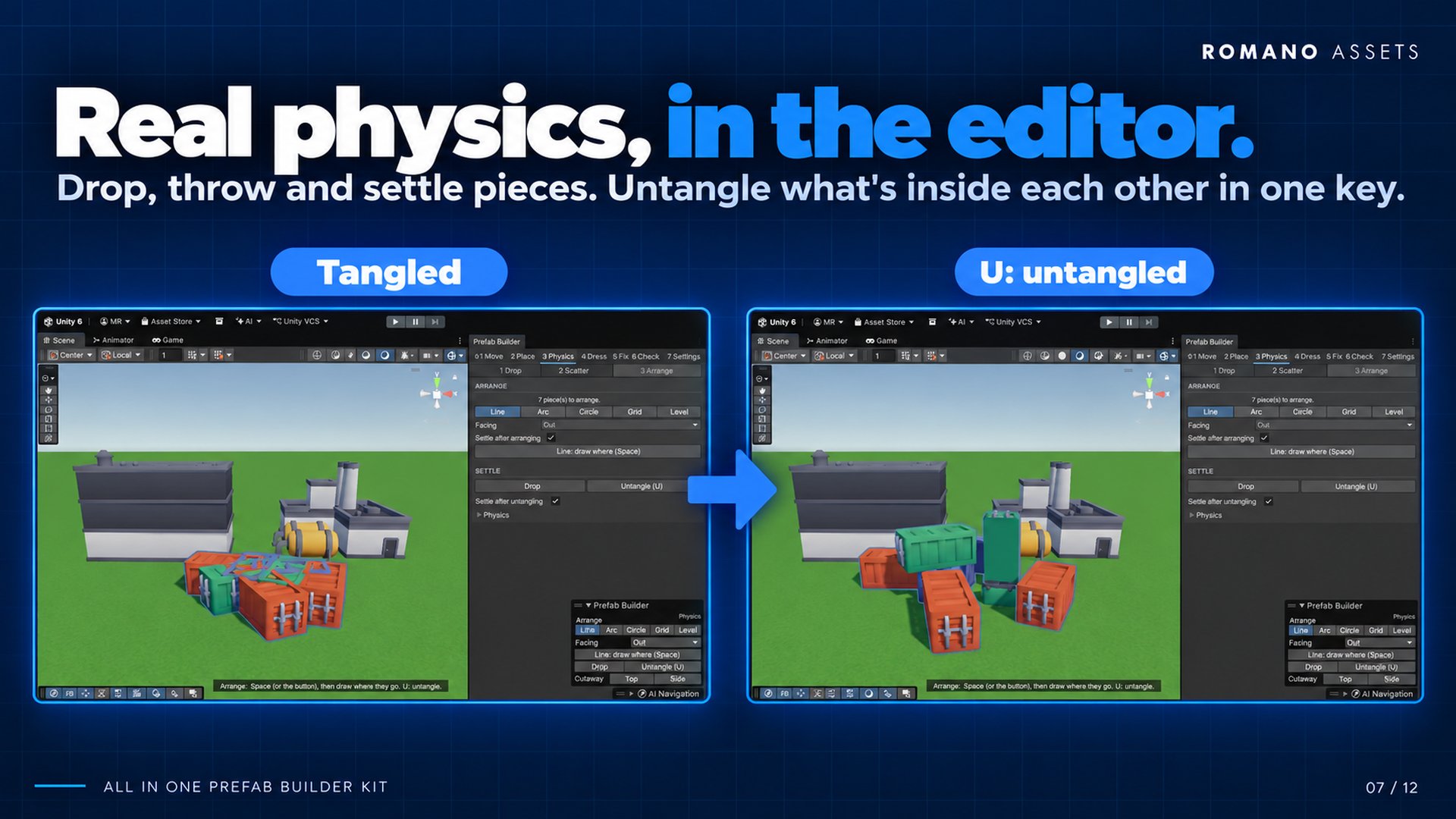
- Drop or throw pieces and let real physics settle them
- Scatter: spread, explode, heap or nudge
- Arrange in a line, arc, circle or grid
- Untangle pieces that are inside each other
Move
- Move, rotate and scale with the kit's snapping
- Select by a box, circle or ball you draw
- Hide or lock a whole category while you work
- Cutaway: slice off roofs and near walls to build inside
Fix
- Snap to the ground
- Find floating and sunken objects
- Remove doubles, select similar
- Randomize turn, tilt, scale and colour
- Replace pieces and keep their place
Check
- Find pieces clipping into each other
- Validate the scene against your own rules
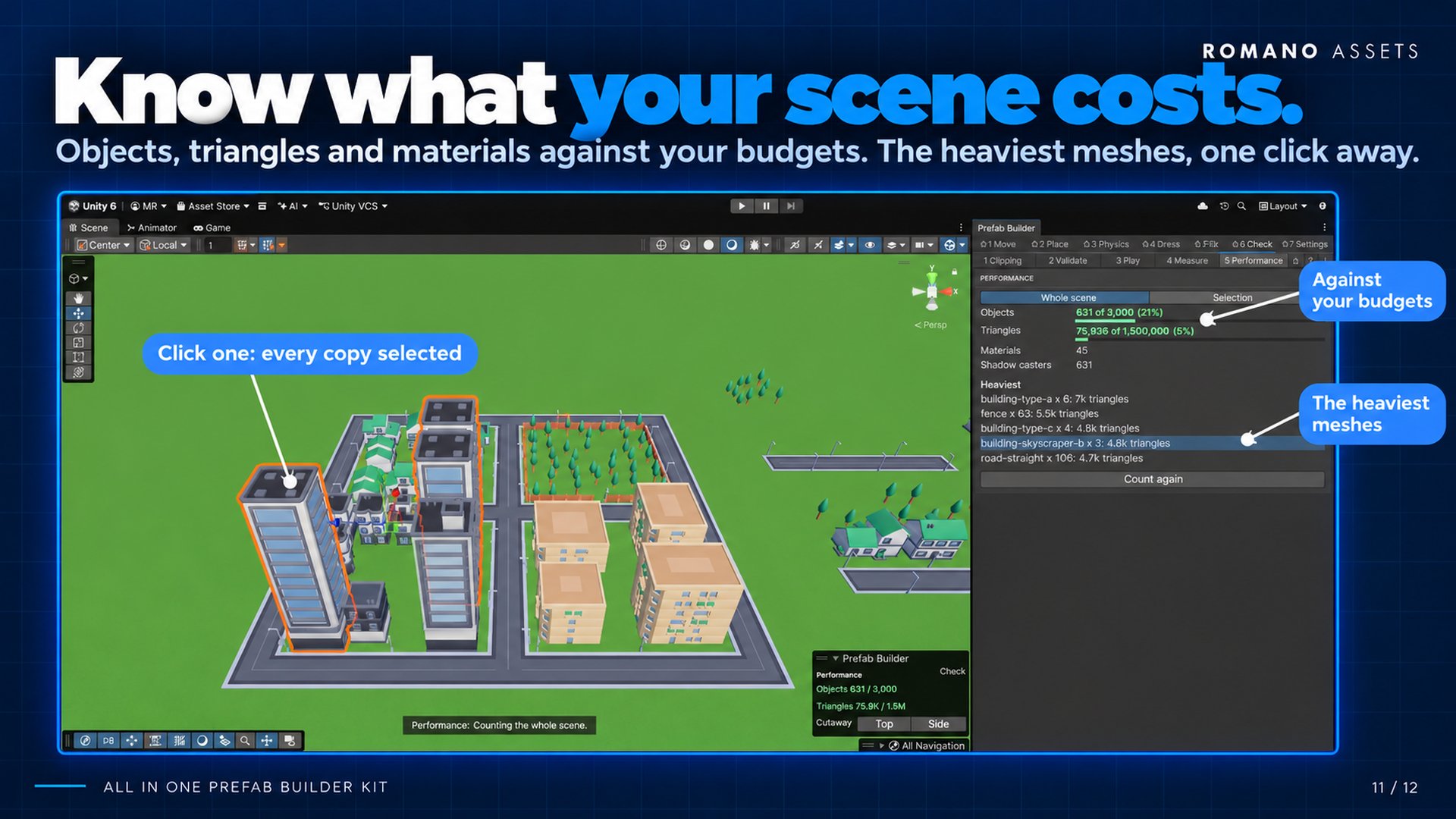
- Performance against your budgets
- Press Play from a clicked spot
- Measure distances and walking time
Settings
Your rules, your keys- Nothing assumes a game. Categories, grids, budgets, floor types, styles and sign text are data you change, and export as a preset to share between projects.
- Every shortcut can be rebound, and tabs, tools and palette go in the order you drag them.
- Add your own tabs and tools from C#, and listen for what gets placed.
Gallery
See it in the editor
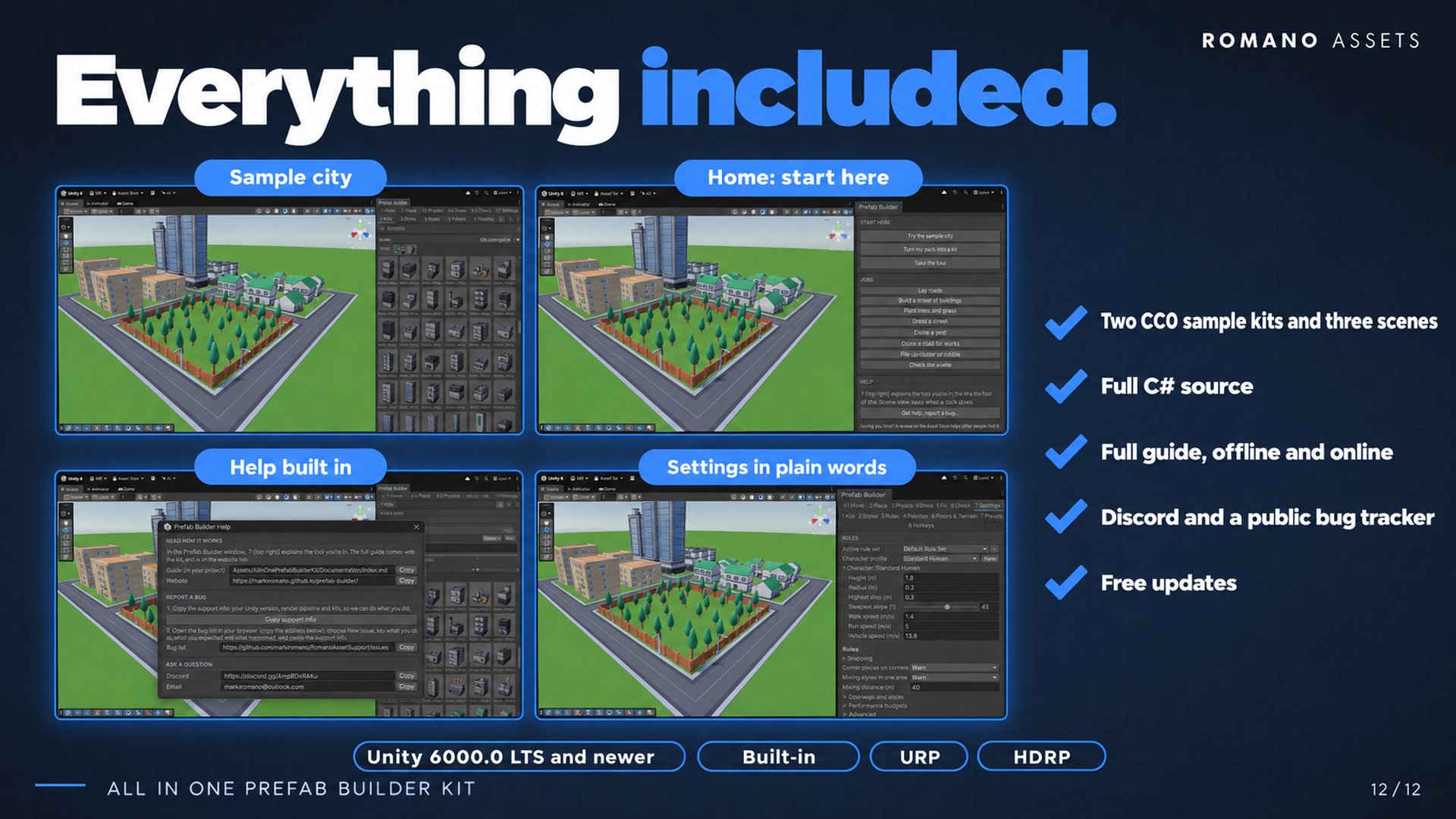
Every picture is the real Unity editor with the kit's own sample kits, made from Kenney's free (CC0) City Kits and Modular Buildings. Two sample kits and three demo scenes come with it, so you can try every tool before you add a pack. Click a picture to see it full size.
Compatibility
What it runs on, as tested
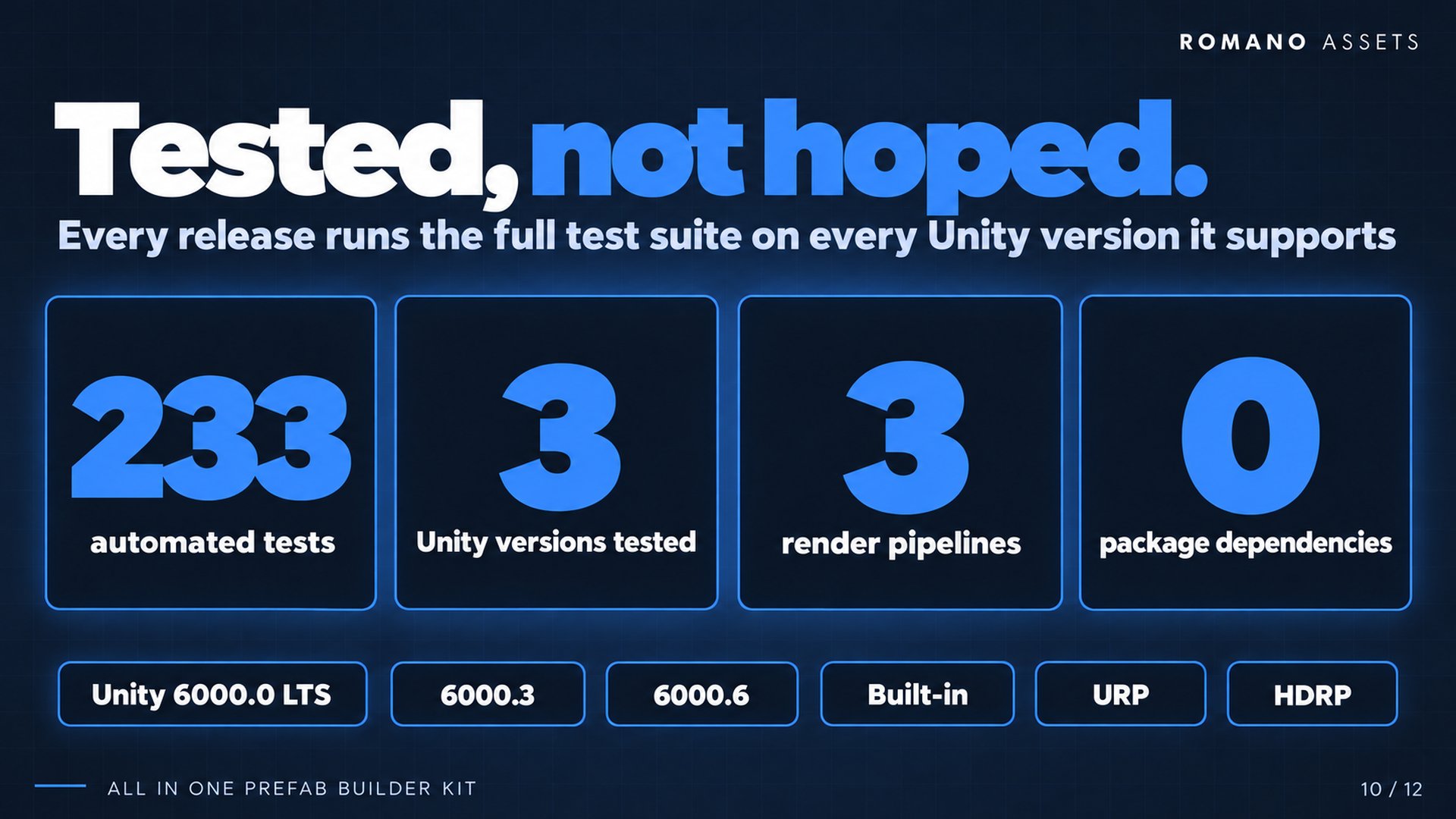
| Unity 6000.0 LTS | Tested | The minimum version |
|---|---|---|
| Unity 6000.3 | Tested | The current Unity 6 release |
| Unity 6000.6 | Tested | The newest version tested |
| Built-in Render Pipeline | Tested | The sample kits and demo scenes included |
| URP | Tested | The sample kits and demo scenes included |
| HDRP | Tested | On Unity 6000.0 LTS, with the sample kits |
| Editor | Tested | Windows. An editor tool: your game's build platforms are unaffected |
| Input System | Either | The kit reads no game input, so the old Input Manager and the Input System package both work |
| Domain Reload off | Tested | Faster Enter Play Mode works |
| Dependencies | None: Unity's built-in modules only |
|---|---|
| Source | Full C#, editor-only, with a few tiny runtime helpers |
| Undo | One step per action |
| Documentation | Offline in the package, and online here |
| Menu | Tools > All In One Prefab Builder |
Good to know
Limits, stated up front
- It's an editor tool: it builds scenes in the Unity Editor and adds nothing to your game at runtime beyond a few tiny helper components.
- The cutaway shows one cut at a time and slices the Scene view only.
Updating
- Delete the old product folder first, then import the new version. Your kits and settings live in a separate data folder and are kept.
Turn the packs you own into a kit
Get the Prefab Builder Kit on the Unity Asset Store, then follow the five-minute quick start.
Support
Help with the Prefab Builder
Stuck, found a bug or have an idea? Pick whichever is easiest. Every message gets an answer.
More from Romano Assets
Other kits, built to the same standard
All In One Save Kit
Save and restore player progress, world objects and settings, with slots, autosaves, a finished save menu, backups and automatic recovery from damaged saves.
All In One Interaction Kit
Turn your own prefabs into doors, drawers, switches, pickups, keypads and puzzles, with prompts for every controller, a "why can't I interact?" debugger and optional multiplayer.
All In One Runtime Building Kit
Let players build bases and place furniture at runtime: turn your own models into build pieces in about ten minutes without code, snap them together through sockets, drag out rows and areas or stamp whole buildings, and see a plain reason whenever a spot is refused. Four ready-made themes, and every part of the HUD, preview, words and sounds can be changed or switched off.
All In One Game Settings & Menu Kit
A finished game front end: title screen, main menu, settings, pause, loading screen and dialogs, with key rebinding, accessibility, subtitles and three themes, ready for keyboard, mouse and gamepad.