
All In One Interaction Kit
Turn your own prefabs into doors, drawers, switches, pickups, keypads and puzzles in a few clicks, with prompts that show the right button for every controller. Little or no code.
- Unity 6000.0+
- Built-in, URP & HDRP
- No dependencies
- Full C# source
How it works
Interactive in three steps
-
Drag in your prefab
Tools > All In One Interaction Kit > Setup Wizard. It finds the doors, lids and drawers inside your model, by name or by shape. -
Check what it found
Door or drawer, hinge side, smooth or physics motion. Click Create Interactive Prefab: your original is never changed.
-
Press Play
Put an Interactor on your player, look at the door and press E, or the button on your controller.
Features
Everything the player can open, press, carry or read
Your own prefabs
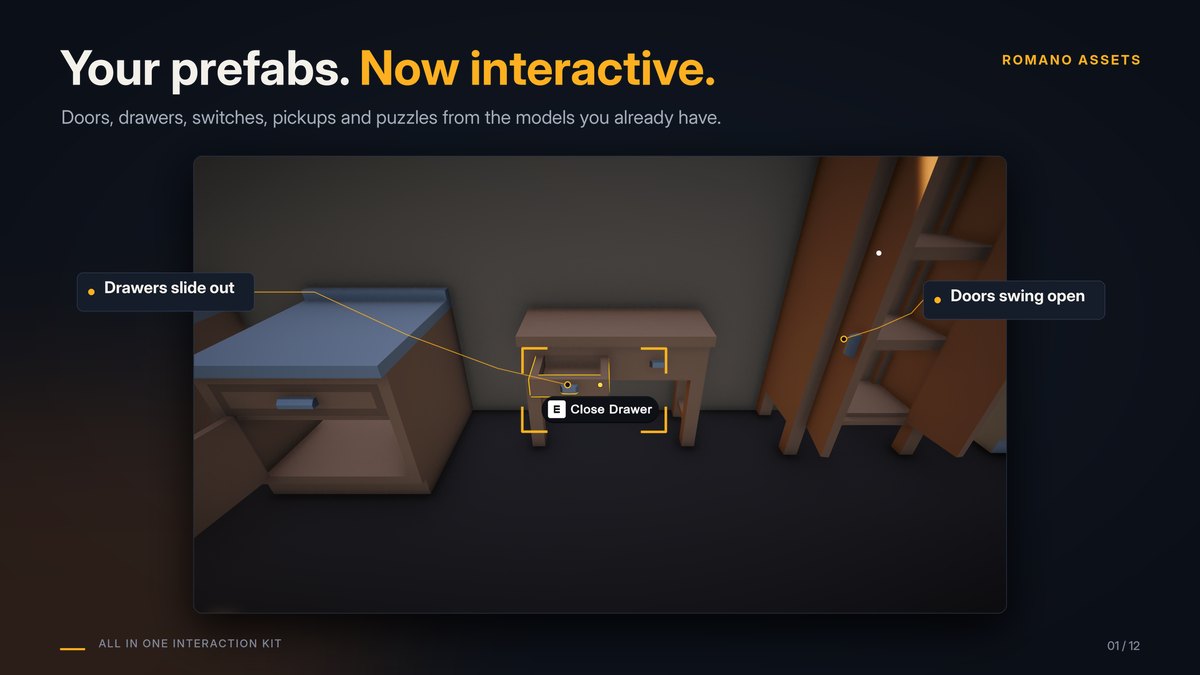
Setup Wizard- Finds the moving parts of a model (door, lid, drawer, gate, hatch...) and sets each one up, front and hinge side included.
- Fixes centred pivots: doors turn around their edge even when the model's pivot is in the middle.
- Never edits your original: it makes a new prefab that contains yours, so later changes still show up.
Make it yours
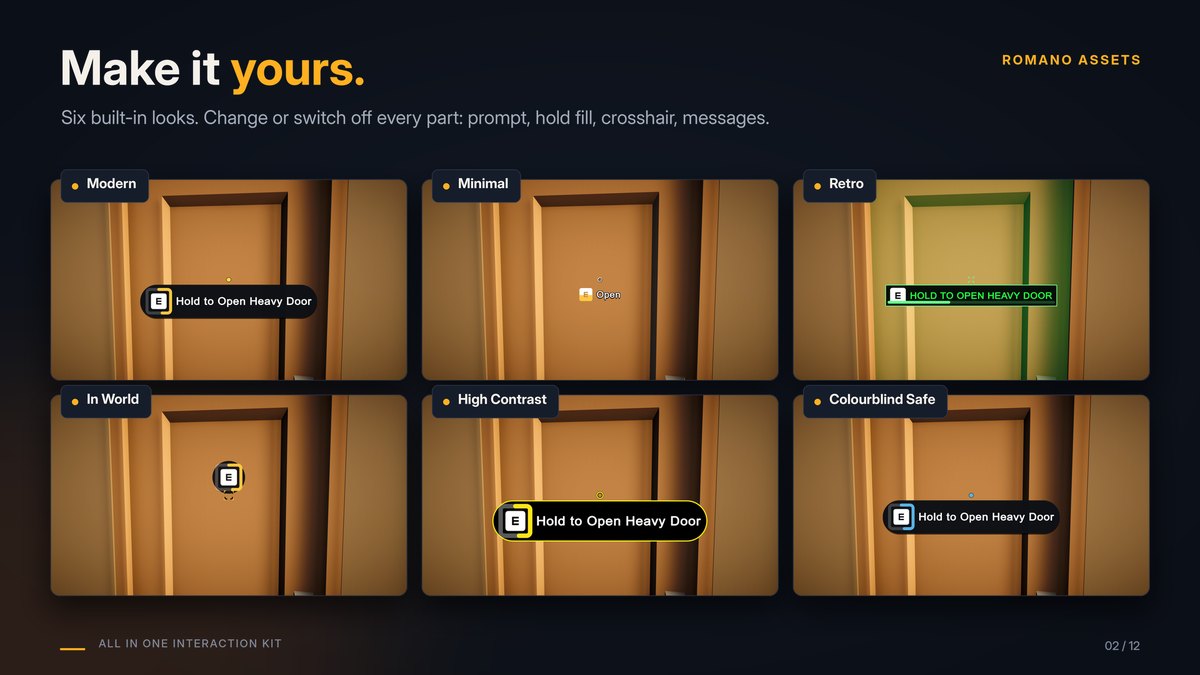
Themes- Not a copy of other games: every part of the prompt, the hold progress and the crosshair can be changed or switched off.
- Six ready-made themes to start from (Modern, Minimal, Retro, In World, High Contrast, Colourblind Safe), or your own; give single objects their own look.
- Your own UI: drive your own prompt and crosshair from events, while the kit handles the text, icons, hold progress and locked state.
Doors and drawers
- Smooth doors, or physics doors you can push open by walking into them
- Doors open away from the player, either way, or one way only
- Drawers, trays, sliding and roll-up doors
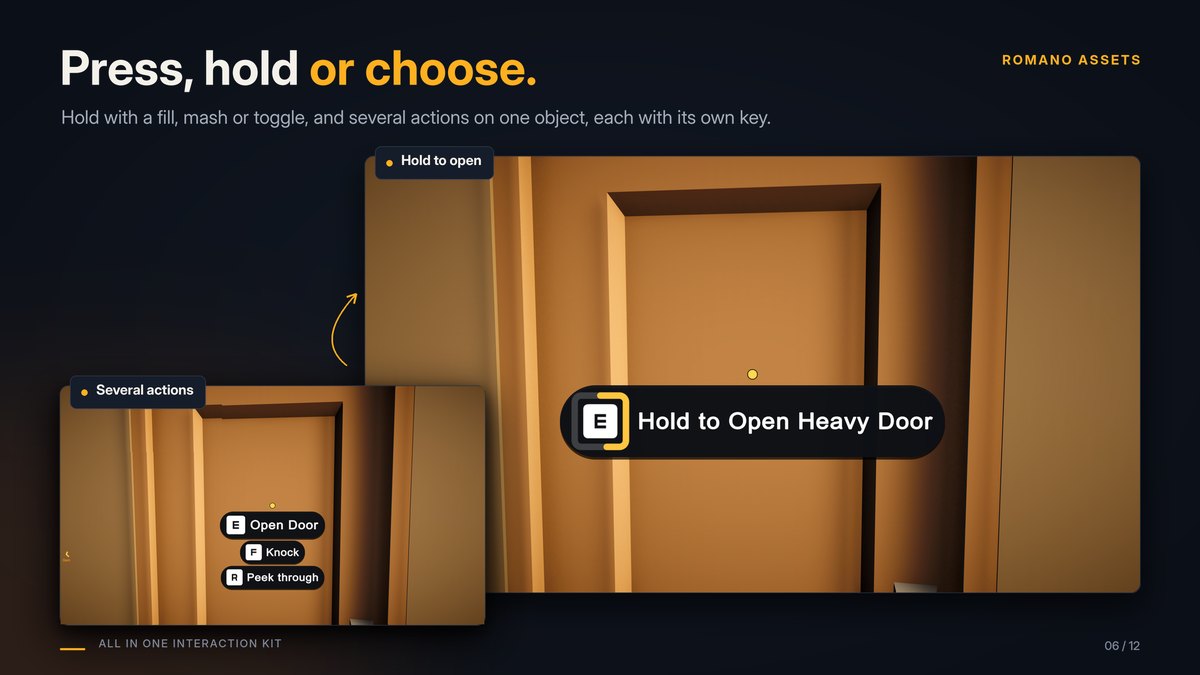
- Locks and keys, hold to open, cooldowns
Prompts and input
- The right button for keyboard, Xbox, PlayStation and Switch
- Press, hold, double tap or mash; several actions as a list or a radial menu
- Mouse, touch, gaze and rebinding
Hands-on objects
- Carry and throw physics objects
- Item sockets: the fuse in the fuse box
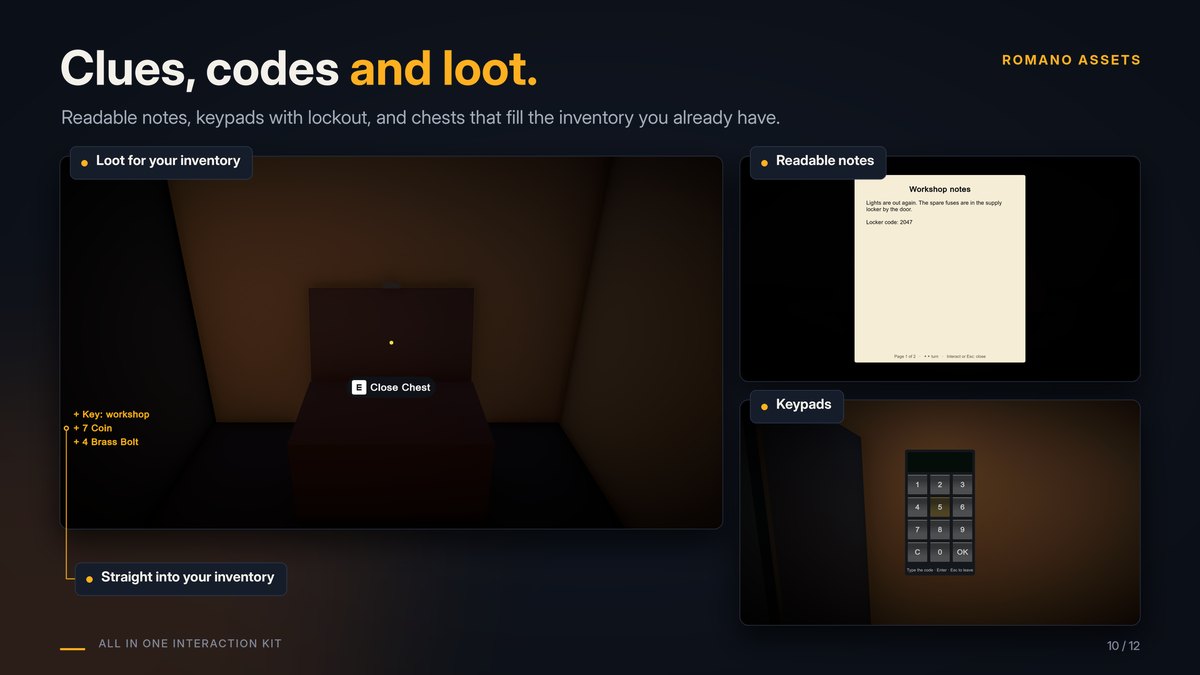
- Inspect up close, readable notes, keypads with lockout
Power and puzzles
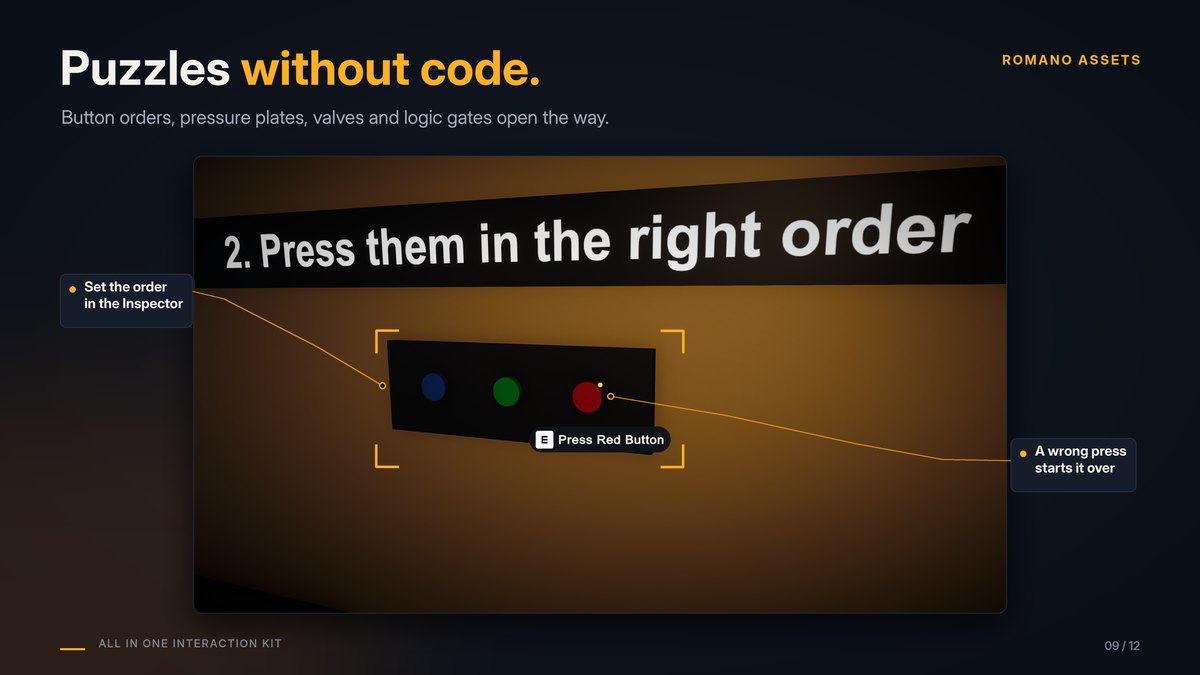
- Switches, levers, buttons and pressure plates power doors and lights
- Logic gates and delays, order puzzles
- Wires shown in the Scene view
More ready-made objects
- Ladders, seats, elevators with call buttons
- Valves, wheels, combination dials, breakables
- Signs, audio logs, screens, item pickups
Loot, 2D and multiplayer
- Chests and loot tables for your own inventory
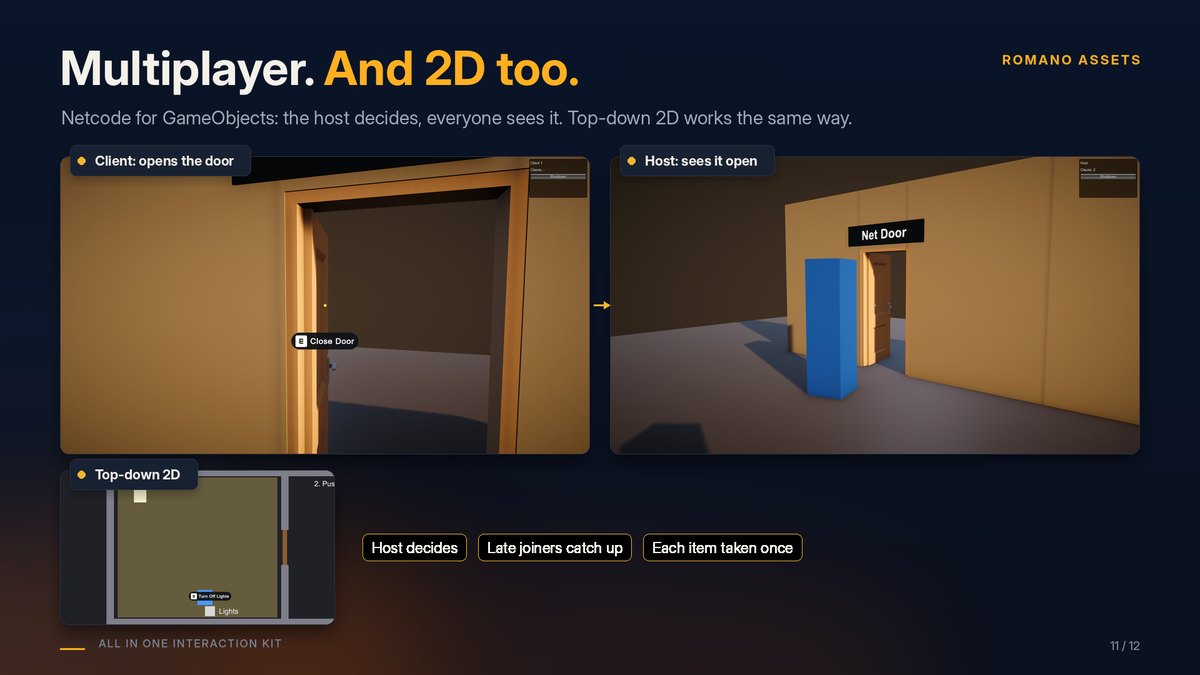
- 2D: proximity, a 2D pressure plate, a top-down demo
- Netcode for GameObjects: the host decides, late joiners catch up
Easy to own
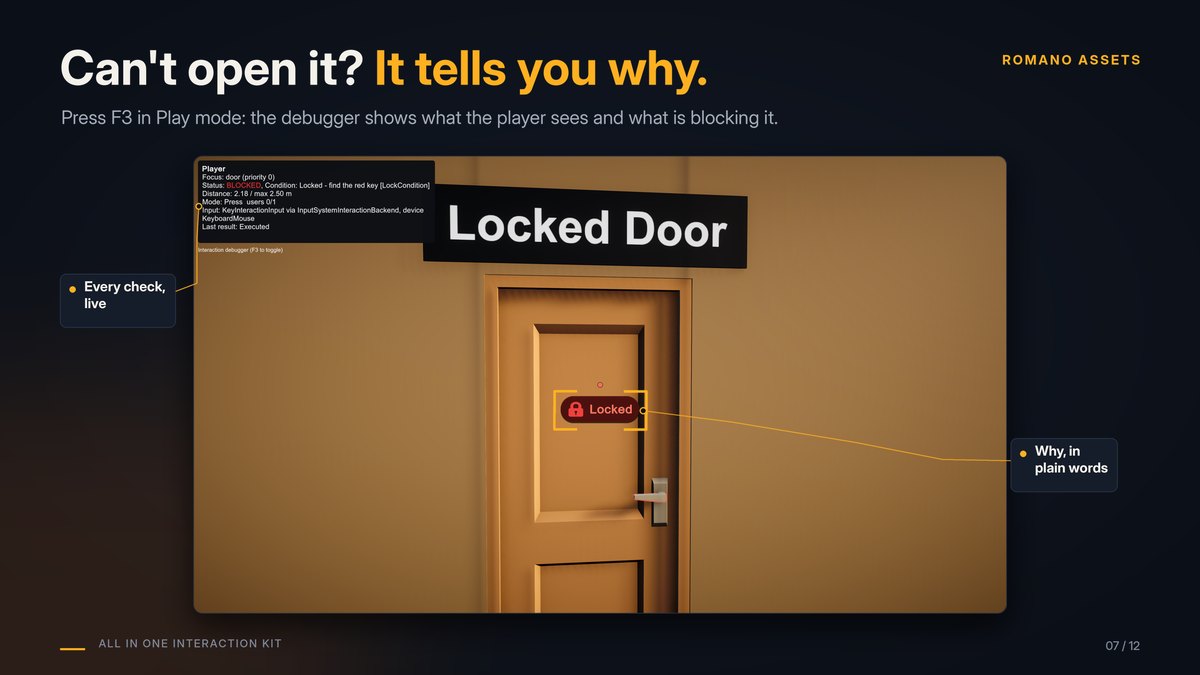
Debugger, saving, support- "Why can't I interact?": press F3 in Play mode and the debugger says exactly what's blocking the player.
- See what can be used: a highlighter in every pipeline, markers on nearby objects and arrows to important ones.
- Saving built in: every object to JSON, auto save, or your own save system through one small interface.
- Accessibility: hold to toggle, slower holds, captions, reduced motion, High Contrast and Colourblind Safe themes.
- Help and support: copy your system info for a bug report, straight from the editor.
From the demo scenes
Try it before you add it to your game
Four demo scenes: doors and furniture, The Locked Workshop escape room, a 2D demo and a multiplayer demo.
Technical details
Built to be dependable
| Unity | 6000.0 or newer (tested on 6000.0, 6000.3 and 6000.6, no warnings) |
|---|---|
| Render pipelines | Built-in, URP and HDRP (demos checked in each) |
| Input | Input Manager (old) or the Input System package; keyboard, mouse, touch and gamepads |
| Platforms | Windows, Mono and IL2CPP (tested); Android build tested (not on a device); WebGL scripts compile |
| Dependencies | None. Uses the Input System, uGUI, Netcode for GameObjects, Visual Scripting, Timeline and Cinemachine when your project has them |
| Source | Full C#, no native plugins, 240+ automated tests |
| Domain Reload off | Supported |
| Menu | Tools > All In One Interaction Kit |
Good to know
Limits, stated up front
- No built-in inventory: items go to yours through one small interface.
- Carry, item sockets and inspect are for 3D games.
- Multiplayer supports Netcode for GameObjects only.
- Doors move by tween or physics; Animator-driven doors are not included.
Status
- Version 1.0.0, coming soon to the Unity Asset Store. The documentation is online now.
Hear the day it launches
Join the Romano Assets Discord for launch news, or ask a question about the kit now.
Support
Help with the Interaction Kit
Stuck, found a bug or have an idea? Pick whichever is easiest. Every message gets an answer.
More from Romano Assets
Other kits, built to the same standard
All In One Prefab Builder Kit
Turn any pack of prefabs into a world-building kit: snap, draw roads, scatter, fence, dress streets, settle with physics and check your scene, all from one window.
All In One Save Kit
Save and restore player progress, world objects and settings, with slots, autosaves, a finished save menu, backups and automatic recovery from damaged saves.
All In One Runtime Building Kit
Let players build bases and place furniture at runtime: turn your own models into build pieces in about ten minutes without code, snap them together through sockets, drag out rows and areas or stamp whole buildings, and see a plain reason whenever a spot is refused. Four ready-made themes, and every part of the HUD, preview, words and sounds can be changed or switched off.
All In One Game Settings & Menu Kit
A finished game front end: title screen, main menu, settings, pause, loading screen and dialogs, with key rebinding, accessibility, subtitles and three themes, ready for keyboard, mouse and gamepad.